Compliance workyou can check.
Statutory compliance and legal research workspace for Indian Chartered Accountants and Company Secretaries.

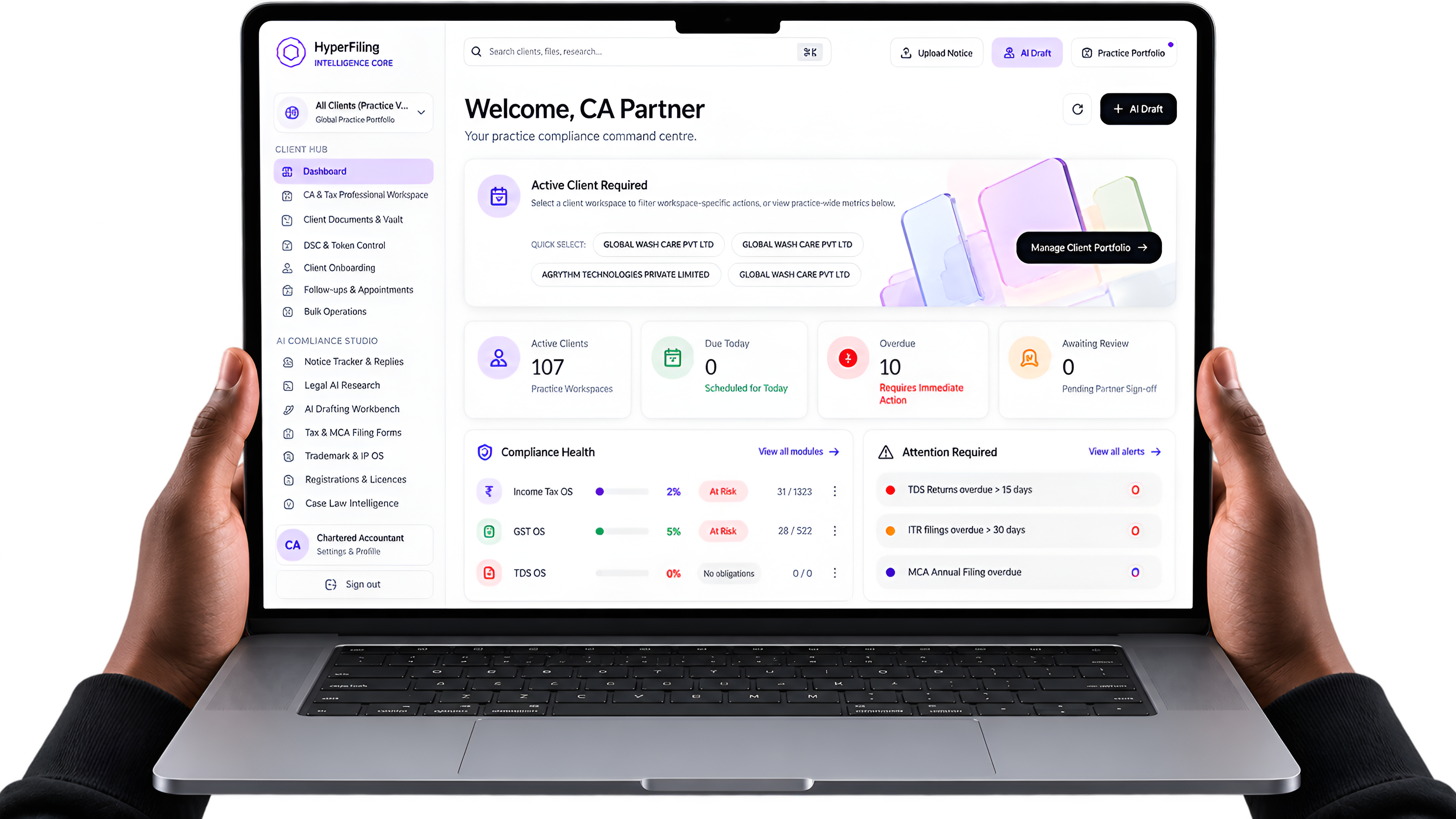
Every client,one compliance dashboard.
Income Tax, GST, TDS and MCA status across the clients you own or are assigned to, the notices awaiting reply, and the drafts ready for partner sign-off.
Answers drafted fromretrieved sources.
Research answers are drafted from passages retrieved from an indexed legal corpus, with the model instructed to use nothing else, and the citations in each answer are checked against that corpus before you read it.
Can I claim ITC on this invoice?
Yes, subject to the conditions in
Section 16, CGST ActCitations checked in the answer
Citations in an answer are checked against the passages it was drafted from and the rest of the indexed corpus. One that fails the check is marked unverified in the answer text itself, so the mark is there wherever the answer is read.
No match, no answer
It says when it has no source.
When nothing in the corpus is close enough to the question, the system says so instead of drafting an answer from what the model remembers.




One search across the corpus
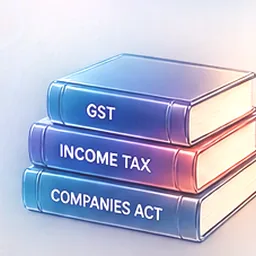
The corpus holds summaries of the main provisions of the Income-tax, GST and Companies Acts, the notifications and circulars of the authorities below, and published commentary on them. One search runs across all of it.
- CBDT
- CBIC
- MCA
- SEBI
- RBI

Global Wash Care Pvt Ltd
Corporate filings & governance
- Annual filing
- AOC-4 & MGT-7
- Status
- Ready to review
MCA filings & corporate governance
Prepare AOC-4, MGT-7, ADT-1, and DIR-3 KYC filings with statutory due dates, Section 403 fee rules, and reviewing partner sign-off.
Statutory work, done inone workspace.
Every one of these exists in production today. Nothing on this list is a roadmap item wearing a present tense.
- 01
Client workspaces that stay separated
Each client sits in its own workspace, and every query is scoped to the workspaces you own or are a member of. A colleague sees only the clients they are assigned to, with view, edit or admin permission on each, and nobody shares a login.
- Workspace isolation
- Per-client permissions
- Bulk onboarding
- 02
Notices read on upload, not retyped
Drop in a scanned Income Tax notice. The DIN, assessment year, statutory section invoked, and response deadline are extracted from the scan itself.
- PDF & image OCR
- DIN extraction
- Deadline capture
- 03
Research that shows its working
Ask a question and get an answer drafted from passages retrieved from the corpus. Citations in the answer are checked against the corpus, and one it does not support is marked unverified in the answer text, so you know which to check first.
- Corpus retrieval
- Citation check
- Case-law search
- 04
GSTR-2B against the books, line by line
Upload the GSTR-2B file and the purchase register, and each invoice is matched by supplier GSTIN and invoice number. A value mismatch shows the difference for each tax head, and invoices in the books but not in 2B are listed supplier by supplier as input tax credit at risk.
- 2B vs books
- ITC at risk
- Supplier-wise list
- 05
MCA filings, prepared and reviewed
Prepare, review, approve and complete MCA filings through a secure portal-assisted workflow. Supports AOC-4, MGT-7/MGT-7A, ADT-1, DIR-3 KYC, DIR-12, and DPT-3, with automated statutory fee rules, attachment checklists, and DSC readiness.
- AOC-4 & MGT-7
- Portal-assisted workflow
- DSC readiness
- SRN tracking
- 06
Work visibility across your practice
Professional visibility without employee surveillance. See work assigned across your team, tasks due today or overdue, bottlenecks pending with clients or review partners, and notice-reply ageing with complete activity history.
- Workload visibility
- Notice ageing
- Partner sign-off
- 07
Drafts a reviewing partner can check
GST show-cause replies under sections 73 to 75, income-tax appeals under sections 246A, 250 and 253 of the Income-tax Act, 1961 (for tax years that began before 1 April 2026), board resolutions and AGM minutes. Citations in a draft are checked against the corpus, and a draft with an unverified citation cannot be approved or exported as PDF or DOCX until it is corrected. Every action is logged with the user and timestamp, so the file explains itself a year later.
- Reply drafting
- Citation check
- Audit trail
From a scanned noticeto a filed reply.
Step one
Drop the notice in
A scan, a PDF, a photograph of a paper order. The DIN, the assessment year, the section invoked and the date the reply is due come off the document itself and land on the client workspace.
Step two
Check it against the Act
Ask what the section requires, what the threshold is, what the department has to establish first. A citation in the answer that the corpus does not support is marked unverified, so it is checked rather than trusted.
Step three
Draft, review, file
A reply drafted with its citations checked, marked up by the partner, exported as a formal package once no citation is left unverified, and logged, so the file still explains itself at assessment.



Four instalments,one financial year.
Advance tax falls due in June, September, December and March. Income-tax dates in Hyperfiling carry the provision they derive from, so a reviewing partner can check the date instead of taking it on trust.
- 15%by 15 June
- 45%by 15 September
- 75%by 15 December
- 100%by 15 March
These are the instalments of the Income-tax Act, 2025, for advance tax falling due on or after 1 April 2026. Each figure is cumulative and net of what was already paid. An assessee who declares presumptive profits under section 58(2) (Table: Sl. No. 1 or 3), for a business other than goods carriage or for a specified profession, pays the whole of it in a single instalment by 15 March.
It reads, it checks,it keeps track.
Hyperfiling works on the statutory side of a practice: the notices, the citations and the due dates. It does no accounting and files no return.
Reads
What it takes from the documents you upload
- Income-tax notices read on upload: DIN, assessment year, section and response deadline extracted
- GSTR-2B matched against the purchase register by supplier GSTIN and invoice number
- Invoices in the books but not in 2B listed supplier by supplier as input tax credit at risk
Checks
What it verifies before a partner relies on it
- Research answers drafted from passages retrieved from the corpus
- Each citation checked against the corpus; one it does not support is marked unverified
- A draft with an unverified citation cannot be approved or exported
Tracks
What it keeps in view across your clients
- Statutory workspace across IT, GST, TDS & MCA
- Compliance calendar with email and in-app reminders
- Work visibility, notice ageing & partner review queue
Not covered: accounting, and return filing, which is done on the government portals.
You should not have to trust it.You should be able to check it.
Any tool can produce a confident paragraph. The question a reviewing partner asks is where it came from. These are the four mechanisms that answer it.
- 01
Answers are drafted against retrieved text
Research retrieves passages from an indexed corpus of statute summaries, notifications, circulars and commentary, and the answer is drafted from those passages. Where nothing in the corpus matches, it says so instead of answering.
- 02
The model is instructed not to fill gaps
Prompts require the system to work from the supplied source and to mark what is illegible or absent, instead of inventing around it.
- 03
Income-tax, TDS and ROC due dates name their provision
Income-tax, TDS and ROC deadlines carry the provision they derive from, so a reviewer can verify the date rather than accept it. The monthly and annual GST return dates do not yet cite theirs.
- 04
Unconfirmed rules are labelled, not hidden
Where we have not checked a date against primary source text ourselves, it is flagged for your confirmation instead of shown as settled.
Priced per firm.Not per seat.
Solo covers one user, Practice up to five, Firm six to twenty. Each plan's allowances are shared by everyone in the firm.
Solo
For a practitioner working alone.
- 1 user
- 50 active client workspaces
- 200 AI queries a month
- 50 document analyses a month
- 20 AI drafts a month
- Compliance calendar and notice tracker
- Cited legal research, with unsupported citations marked unverified
- Document drafting with embedded citations
- GST reconciliation (2B vs books) and IMS
- Client portal for document uploads
- Daily legal updates digest
Launch price
₹2,499/month
incl. GST (₹2,117.80 + GST) for purchases until 31 March 2027.
From 1 April 2027: ₹2,999/month.
Or ₹24,999/year, ₹4,989 less than twelve monthly payments. From 1 April 2027: ₹29,999/year.
Practice
For a practice of up to five people, sharing one allowance.
- Up to 5 users
- 200 active client workspaces
- 500 AI queries a month, shared by the firm
- 150 document analyses a month, shared by the firm
- 50 AI drafts a month, shared by the firm
- Audit log export (CSV / PDF)
- Everything in Solo
Launch price
₹5,999/month
incl. GST (₹5,083.90 + GST) for purchases until 31 March 2027.
From 1 April 2027: ₹6,999/month.
Or ₹59,999/year, ₹11,989 less than twelve monthly payments. From 1 April 2027: ₹69,999/year.
Firm
For firms of six to twenty people. Priced on request.
- 6 to 20 users
- 500 active client workspaces
- 1,000 AI queries a month for 6 to 10 users, 1,500 for 11 to 20 users, shared by the firm
- 300 document analyses a month for 6 to 10 users, 450 for 11 to 20 users, shared by the firm
- 100 AI drafts a month for 6 to 10 users, 150 for 11 to 20 users, shared by the firm
- Audit log export (CSV / PDF)
- Everything in Practice
Priced on request
Launch prices apply to plans bought on or before 31 March 2027 (India time). From 1 April 2027 the regular prices apply.
If your first payment is at a launch price, you keep launch prices for 12 months from that payment.
All prices include 18% GST. Billed per firm, not per user. Compare plans
Before yousign anything.
The rest are answered on the pricing page, along with the full plan comparison.
Notice → reply